Premiere Pro Extension
Year: 2026

Bridging AI to Premiere

UI / UX Design    Application Development    Generative AI     Fal.ai API     GitHub     Multiple LLM:s  

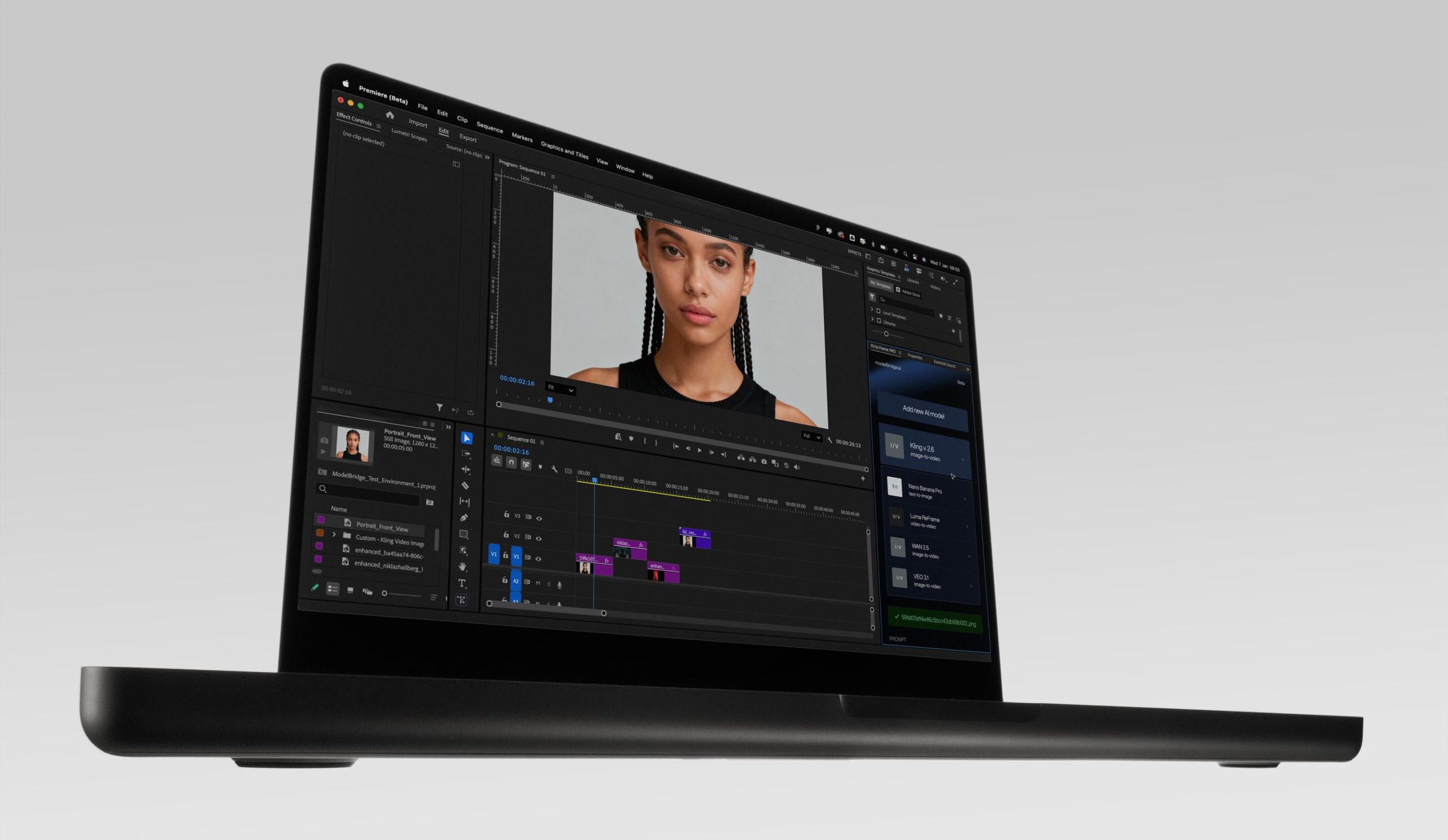
This extension, modelBridge.ai, brings generative AI directly into Adobe Premiere Pro. Built with CEP and modern web technologies, it runs seamlessly within Premiere’s UI constraints. The interface was designed in Figma and follows an 8-point design system to ensure visual clarity and consistent spacing across all states.

The architecture integrates ExtendScript, the fal.ai API, and additional techniques to enable AI-powered models connected directly to your timeline. Development involved leveraging multiple LLMs as collaborative tools to explore possibilities, cross-evaluate alternative approaches, and solve complex technical challenges.

The result is a first-of-its-kind generative AI integration for Adobe Premiere Pro.

Bridging AI to Premiere

Delivery

Premiere Pro Extension

Year

2026

Tools

UI / UX Design

App. Development

Fal.ai API

GitHub

Multi-LLM:s

This extension, modelBridge.ai, brings generative AI directly into Adobe Premiere Pro. Built with CEP and modern web technologies, it runs seamlessly within Premiere’s UI constraints. The interface was designed in Figma and follows an 8-point design system to ensure visual clarity and consistent spacing across all states.

The architecture integrates ExtendScript, the fal.ai API, and additional techniques to enable AI-powered models connected directly to your timeline. Development involved leveraging multiple LLMs as collaborative tools to explore possibilities, cross-evaluate alternative approaches, and solve complex technical challenges.

The result is a first-of-its-kind generative AI integration for Adobe Premiere Pro.

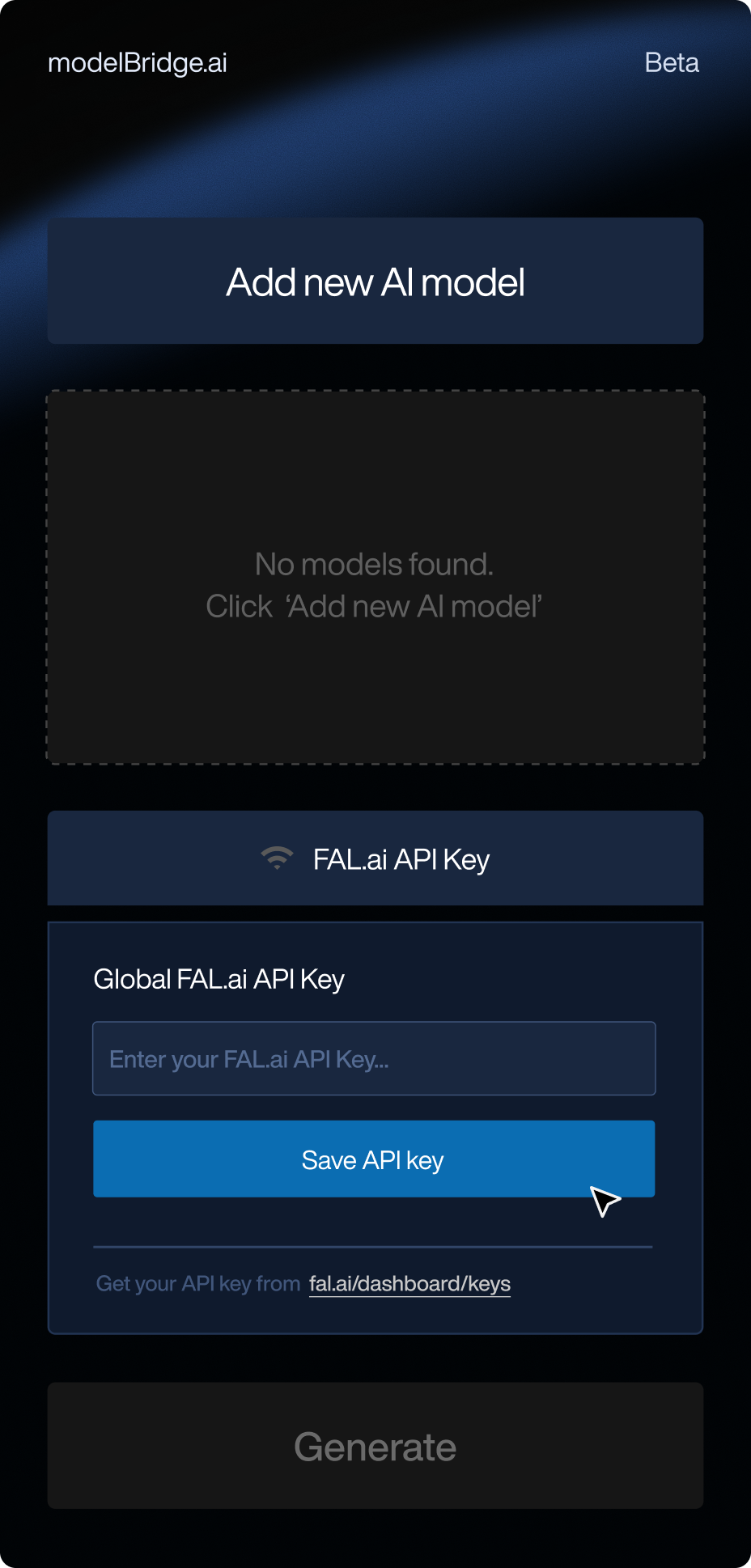
First-time setup: Add personal FAL.ai API key

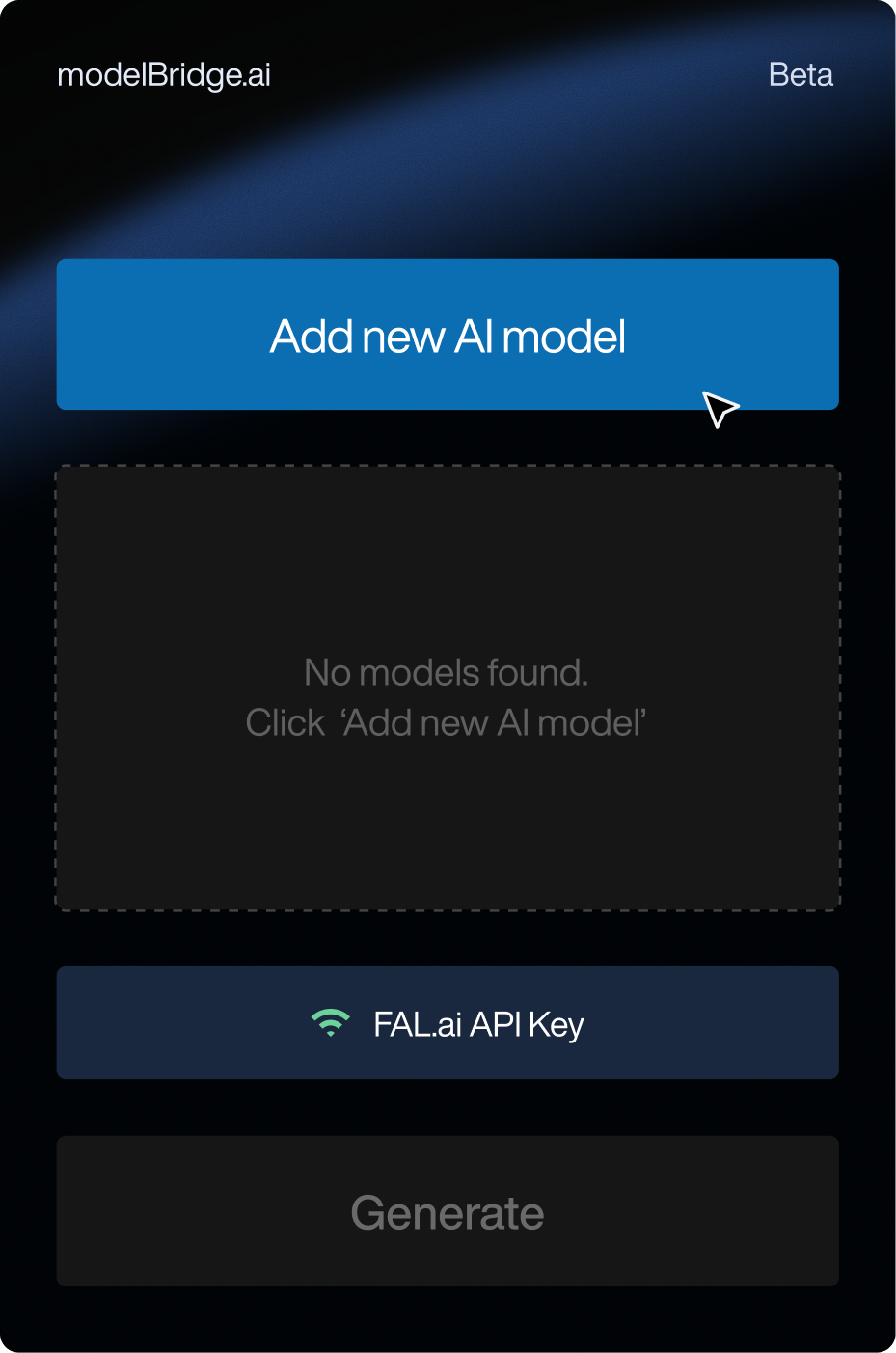
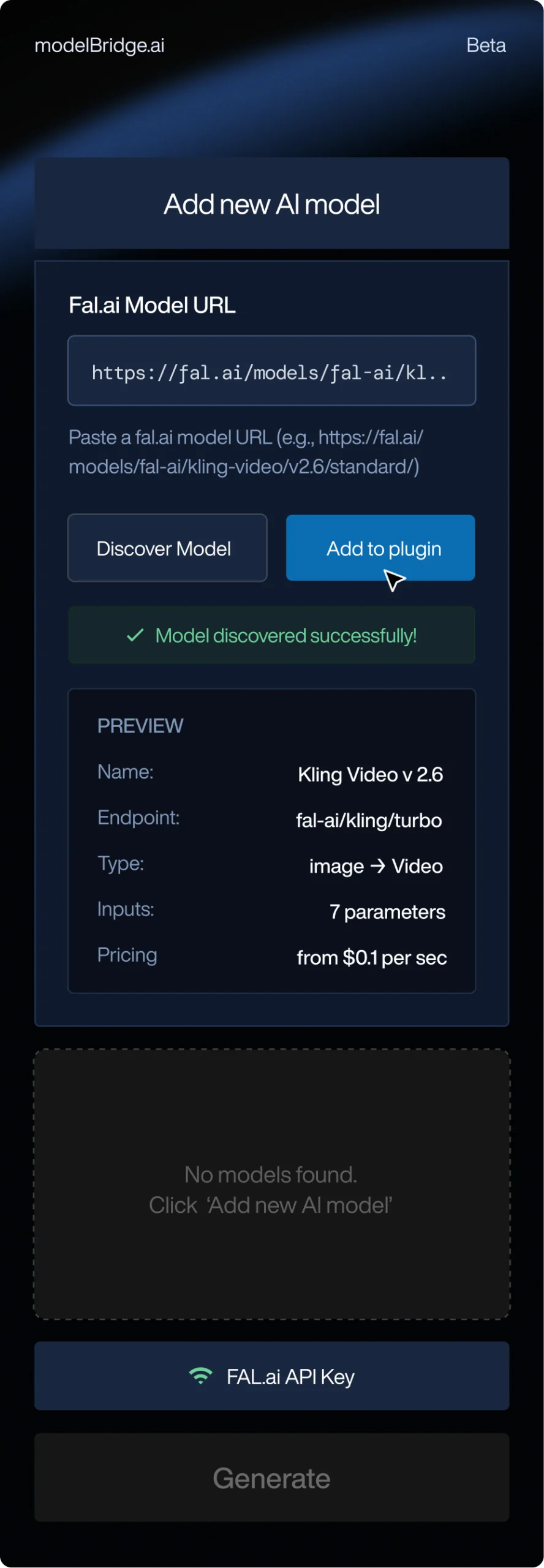
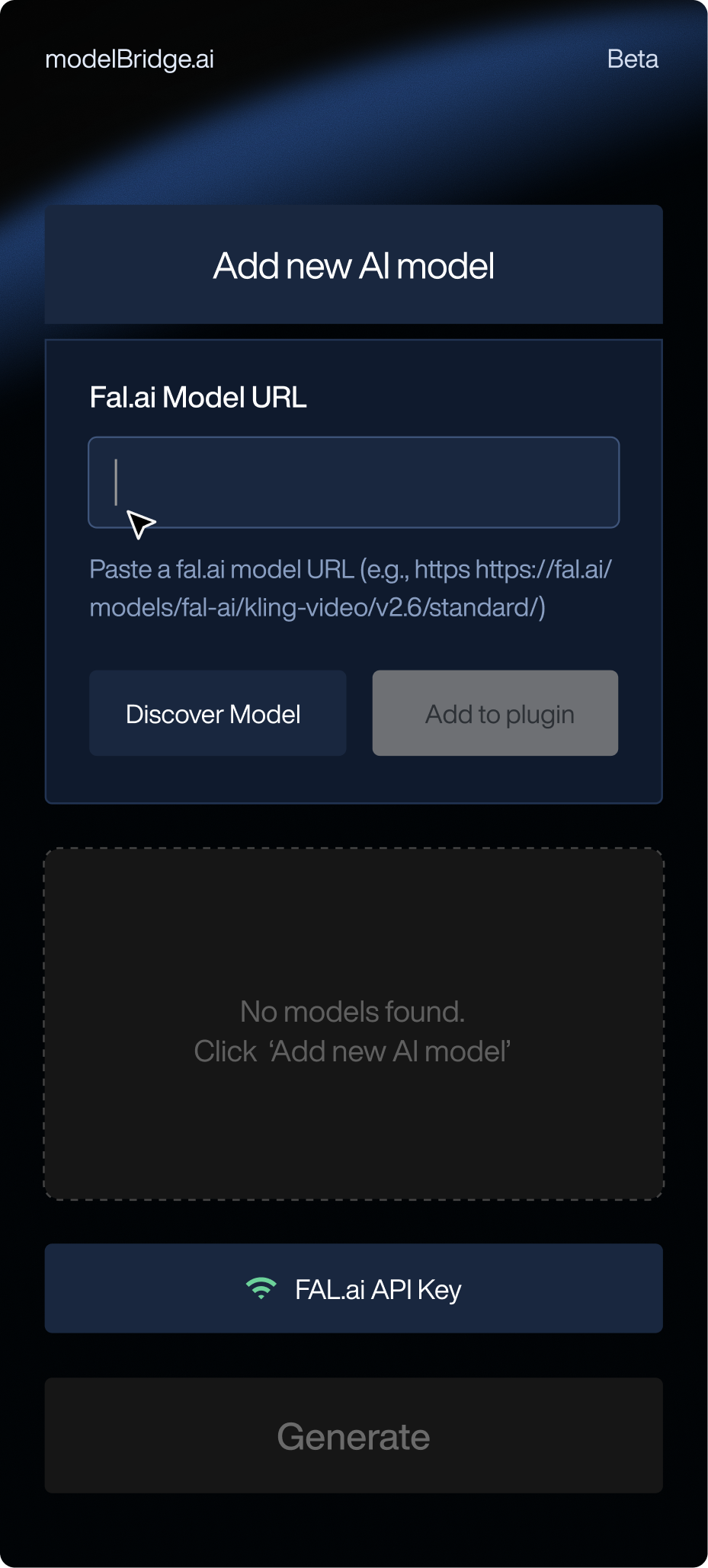
Add new AI model to plugin

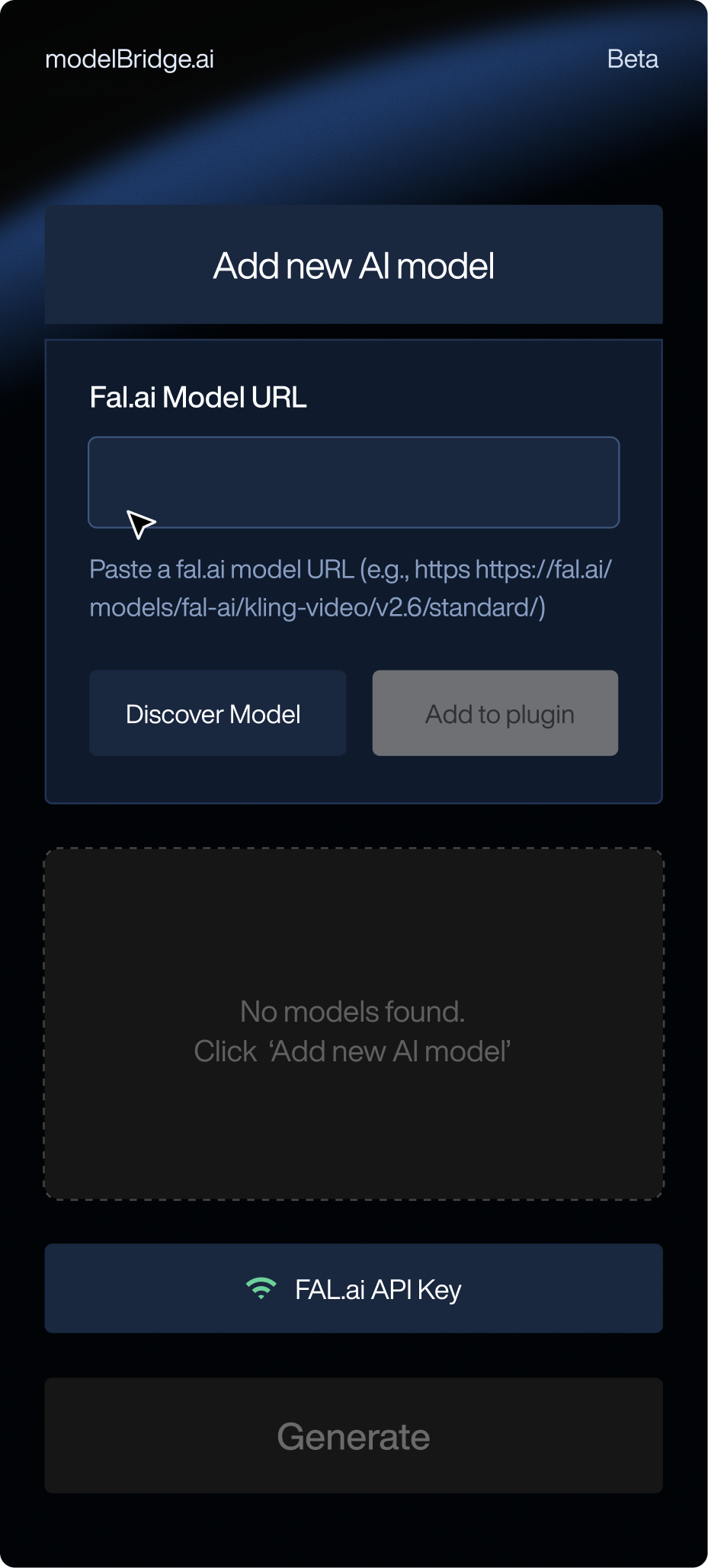
Paste URL and click 'Discover Model'

Model discovered: Click 'Add to plugin'

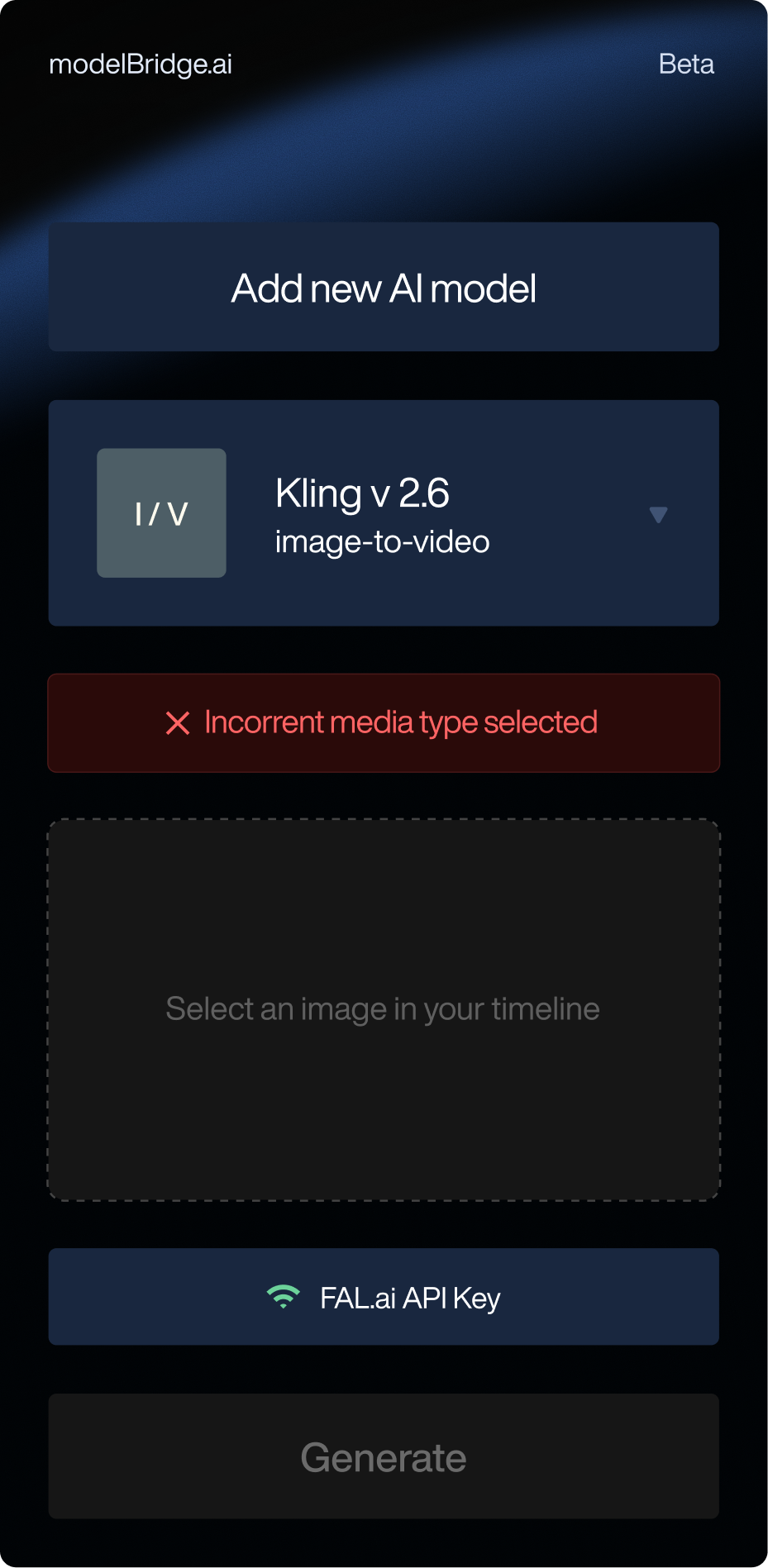
Model selected, but if media type mismatch

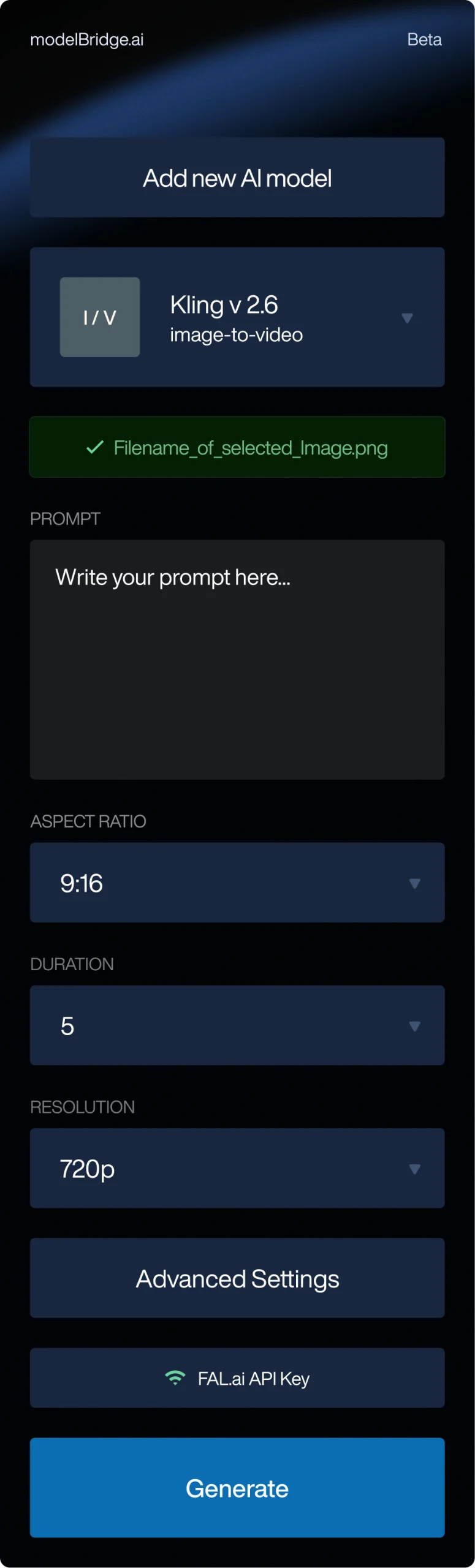
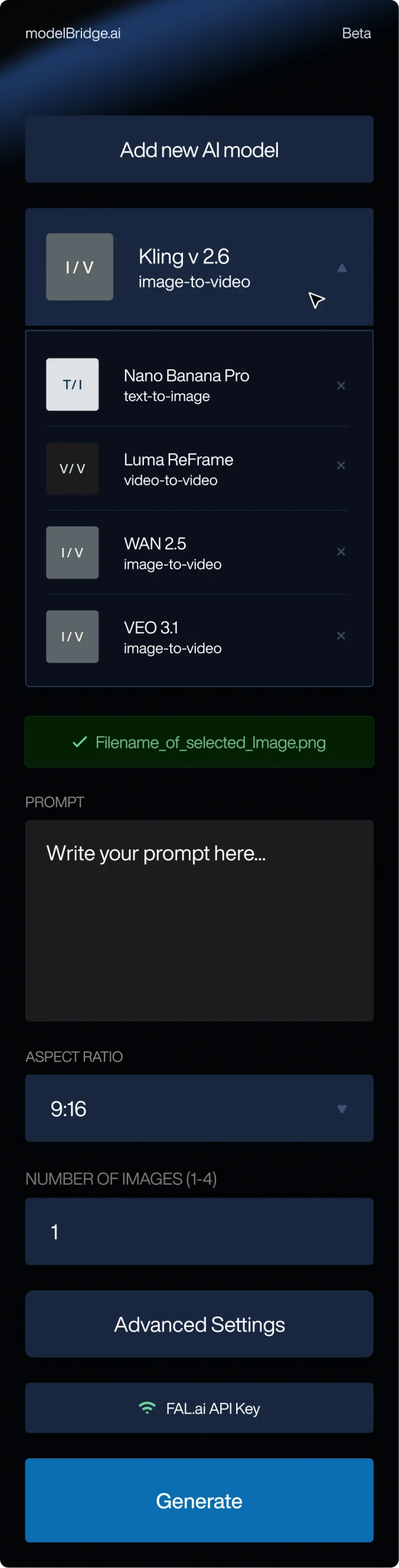
Else - render correct model UI and input fields

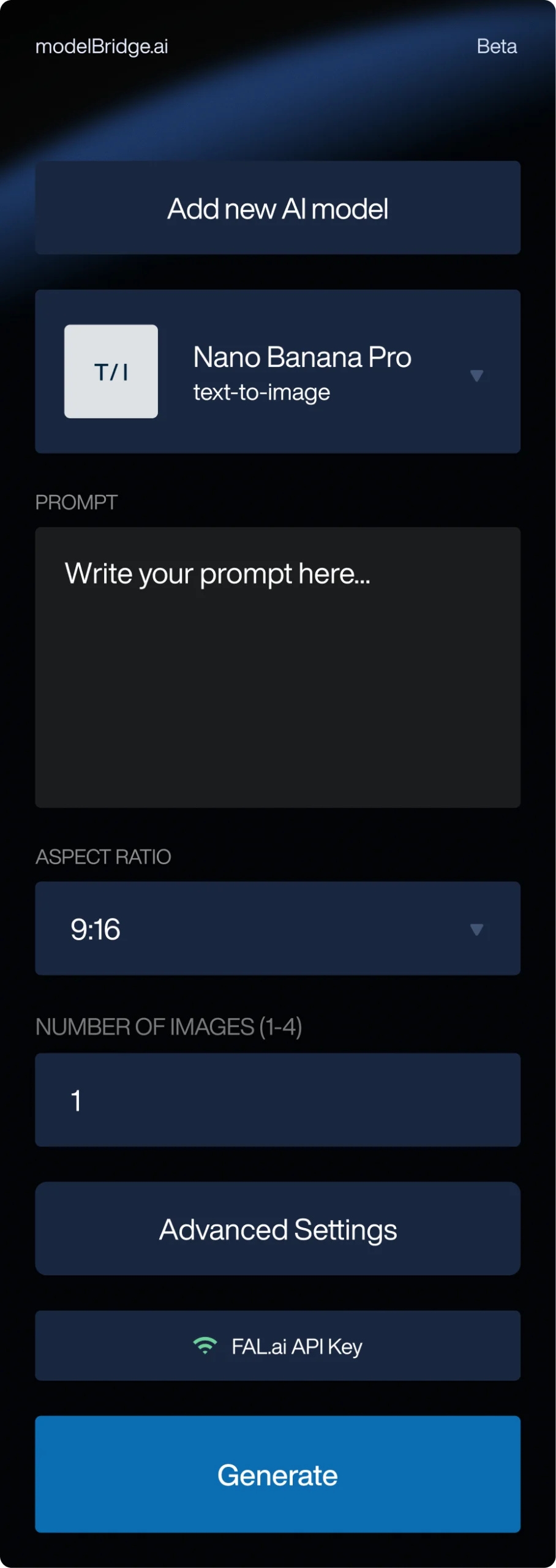
If text-to-image model is selected, always render UI

No more platform switching

Traditional AI workflows require constant importing and exporting between browsers and tools. ModelBridge removes that friction. Just select an image or video in your timeline and choose an appropriate AI model, everything happens directly inside Premiere Pro.

You’re in full control

Use your personal FAL.ai API key. Set it once and forget about it. The key is stored locally, and you retain full visibility and control over usage and costs.

Scalable by design

The UI is dynamically generated from a cloud-hosted JSON schema, allowing new AI models to be added without redesigning the interface. Simply select an installed model from the dropdown, the correct input fields render instantly.

Premiere icon

No more platform switching

Traditional AI workflows require constant importing and exporting between browsers and tools. ModelBridge removes that friction. Just select an image or video in your timeline and choose an appropriate AI model, everything happens directly inside Premiere Pro.

Controls icon

You're in full control

Use your personal FAL.ai API key. Set it once and forget about it. The key is stored locally, and you retain full visibility and control over usage and costs.

Scalable icon

Scalable by design

The UI is dynamically generated from a cloud-hosted JSON schema, allowing new AI models to be added without redesigning the interface. Simply select an installed model from the dropdown, the correct input fields render instantly.